Everything Refillo does for your shop today.
One screen for each question you have in the morning: what needs me, what do I order, what is coming in. Then reports that tell you where your money sits, each with the button that does something about it.
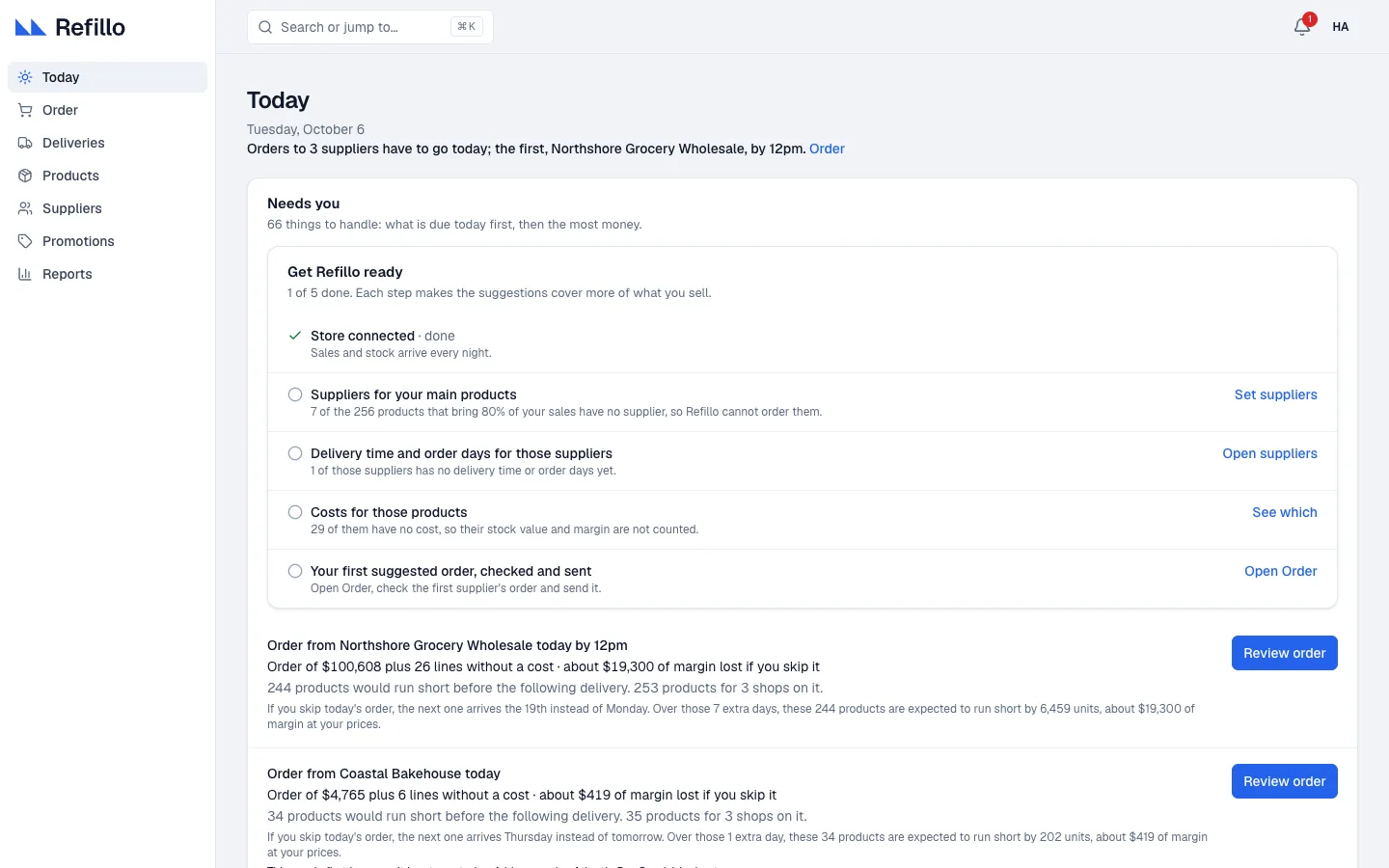
The daily plan: Today
Every night Refillo reads your sales and stock and works out, product by product and shop by shop, what will run out and when. In the morning, Today lists what needs you: the orders due today first, then the decisions worth the most money. When there is nothing to do, it says you are all caught up.
Needs you
Orders to send, deliveries that are late, and products that need a decision.
What skipping costs
Each order says what would run short if you skipped it today, and about how much margin that would lose.
Get Refillo ready
A five-step guide: store connected, suppliers for your main products, their delivery times and order days, costs, and your first order checked and sent.
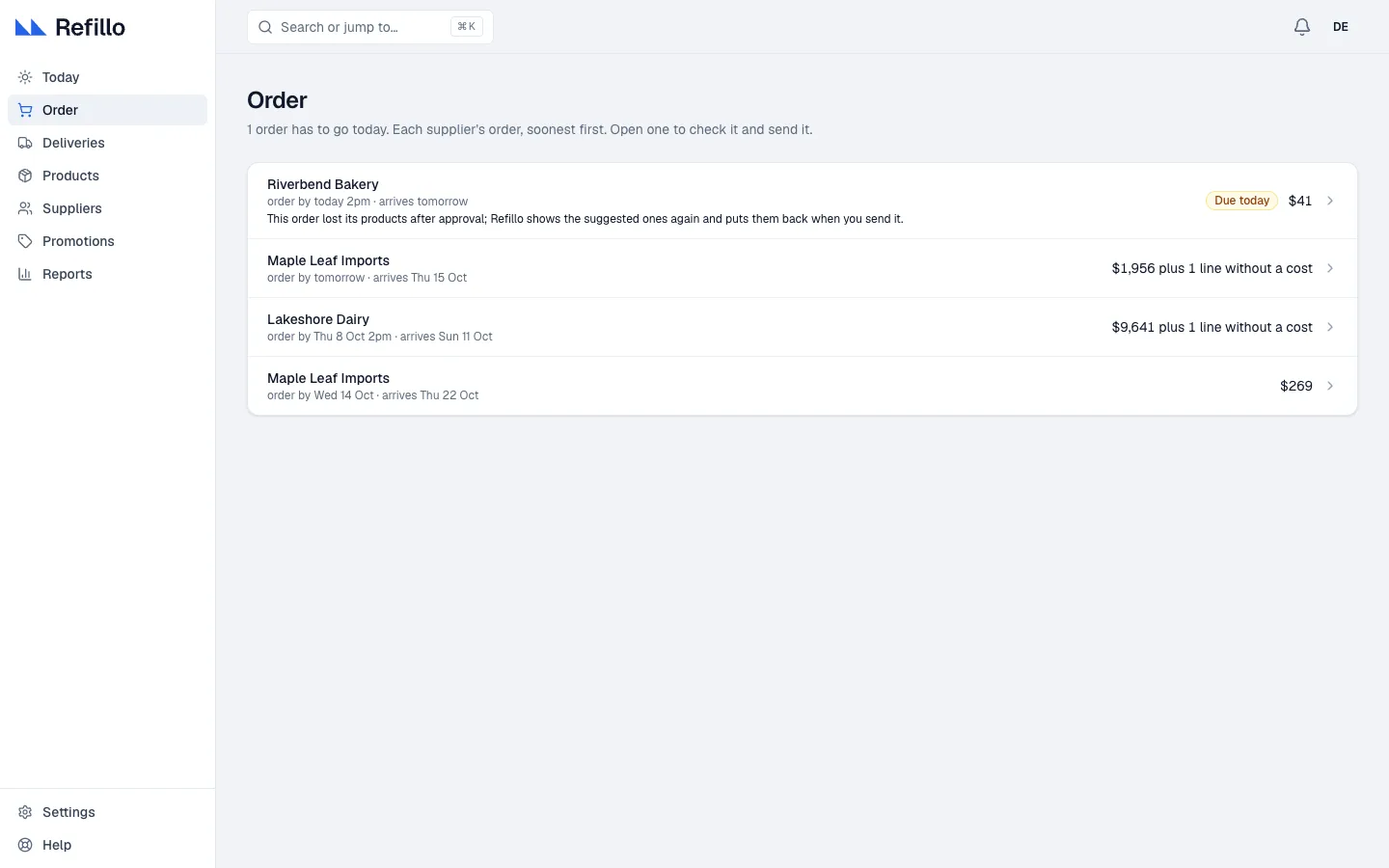
Orders to your suppliers
Order shows each supplier's order, soonest first. Open one and every line says how fast the product sells, what is on the shelf and on its way, what you need, how many that is in the supplier's packs, and how long it will last. Change any quantity you like, or go back to Refillo's suggestion.
Review and send shows you the email and its PDF before it goes. The supplier gets the order from your shop's name, and their reply comes to your own address. With several shops, one supplier's orders for every shop go out together.
Deliveries
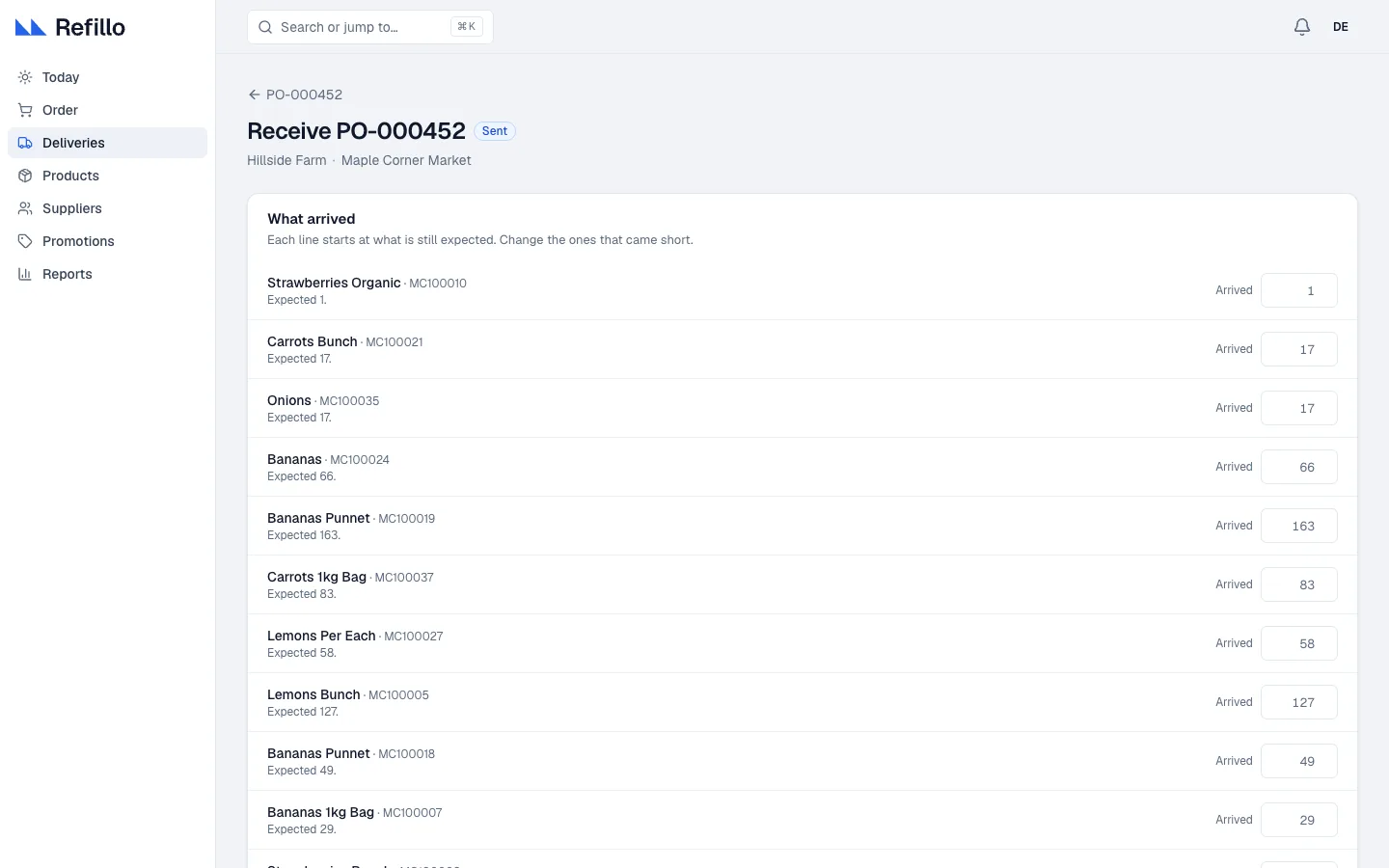
Everything sent and not yet received sits in Deliveries, under Due today, Late, On the way and All orders. When the boxes arrive, open the delivery: each line starts at what was expected, so you only change the ones that came short. For a short line, say whether the rest is still coming or not coming, and Refillo keeps the order open or closes it.
A late delivery shows what depends on it. Write to the supplier opens a short note, already filled in, that you can change and send.
Every delivery counts toward the supplier's record: how often they deliver on time and in full, and how long they really take.
Stop reordering, phase out
Some products should not be ordered again. On any product, Stop reordering gives you two choices: Sell what is left, order no more marks it as phasing out, and Stop reordering it keeps it out of every order. Its stock still counts. Order again undoes it at any time.
Reports, with the action in the row
Each report answers one question in plain words, and you can act from the row without leaving it.
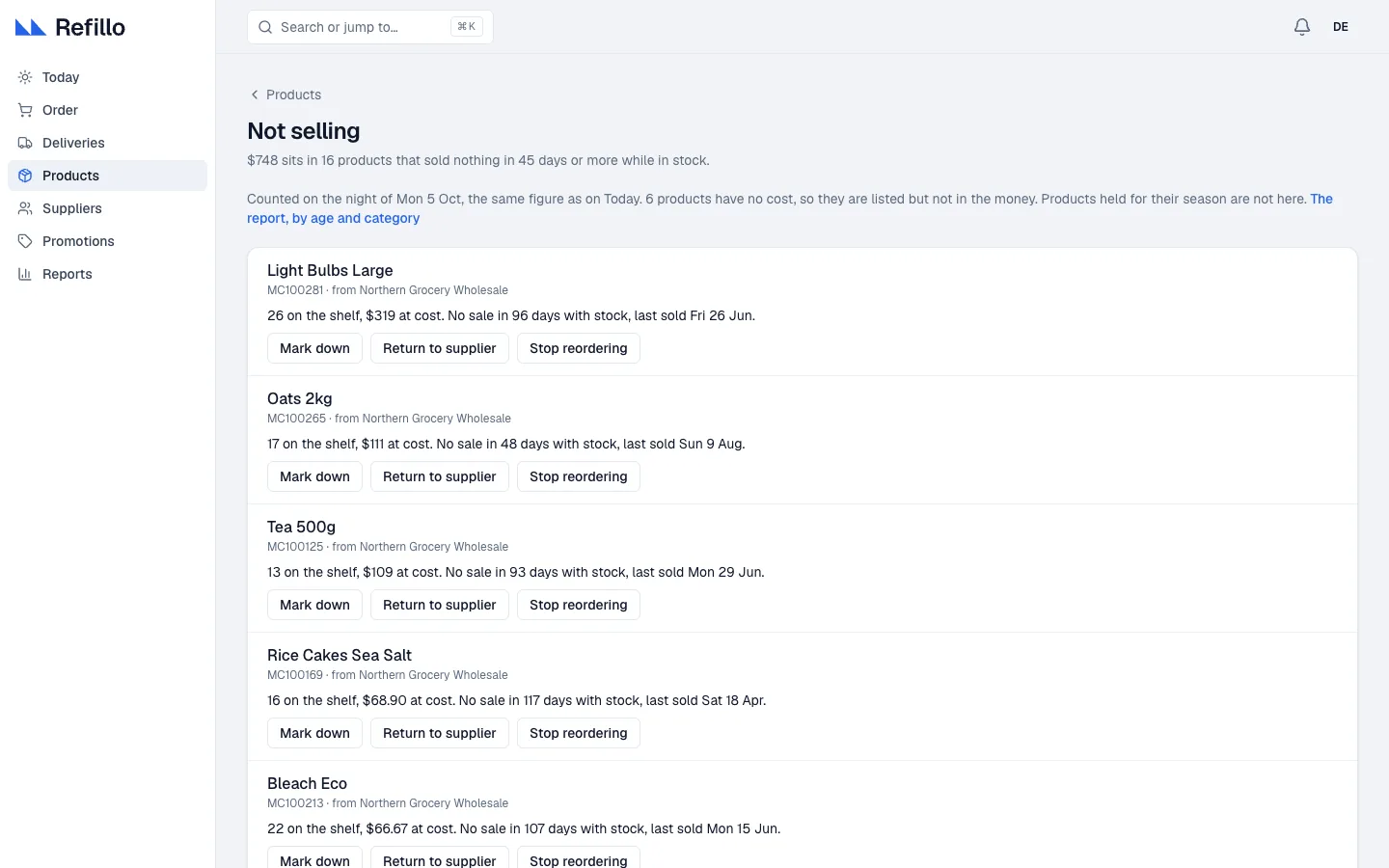
Not selling
Products with no sale for 45 days or more while they were on the shelf, with the money in them. From the row: Mark down, Return to supplier, Stop reordering.
Too much stock
Stock beyond the most your plan needs, counted at what you paid. The same actions as Not selling, and with more than one shop, Move to another shop.
Running low
Products likely to run out before an order you place now could arrive. From the row: Order now or Add to order.
Suppliers
Which suppliers deliver on time and in full, and how long they really take. Each supplier has its own page with its record.
There are more: out of stock, missed sales, why we ran out, stock value and cover, missing product details and others.
The Monday email and alerts
Every Monday, one email: what to do this week (the orders to send, late deliveries to chase, products that are not selling), then last week against the week before: sales, margin, and the sales lost because shelves were empty. The first time a word like margin appears, the email says what it means.
Alerts come only when something did not happen: a shop sent no sales, an approved order was never sent, an order email to a supplier did not arrive, or the overnight update failed.
One shop or several
Refillo plans each shop from its own sales and stock. With one shop you never see a location column. With several, each supplier's orders for all your shops are checked and sent together.